
photo cleaner for iPhone
Your whole camera roll, one swipe at a time.
KeepShot turns clearing out your camera roll into a deck of cards. Swipe right to keep, left to archive, up to crown a Favorite — then reclaim the gigabytes you have been carrying for years. Everything happens on your iPhone. Nothing is uploaded, and nothing is deleted until you say so.
→ Keep
← Archive
↑ Favorite
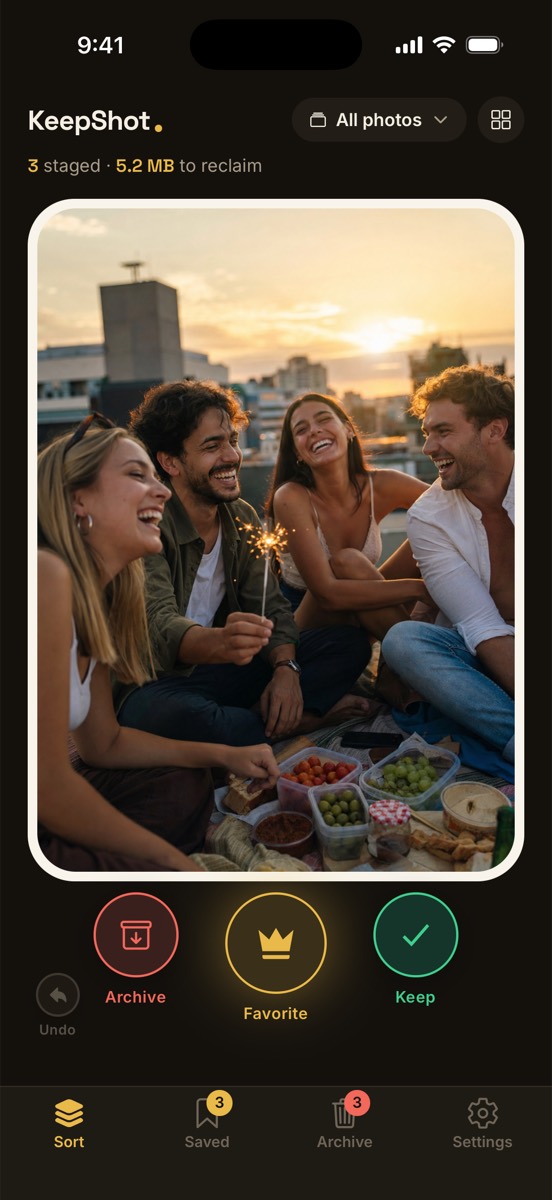
See it in action.
The same screens you'll find on the App Store — the deck, the archive with its safety net, and the golden Favorites album.
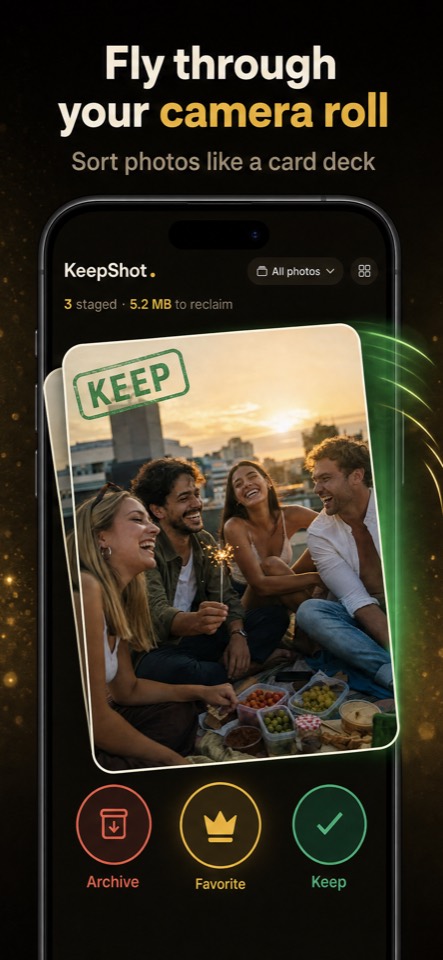
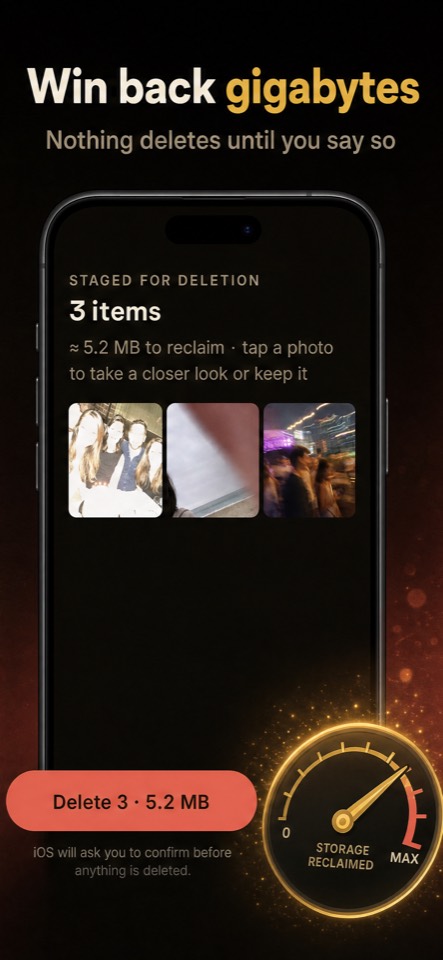
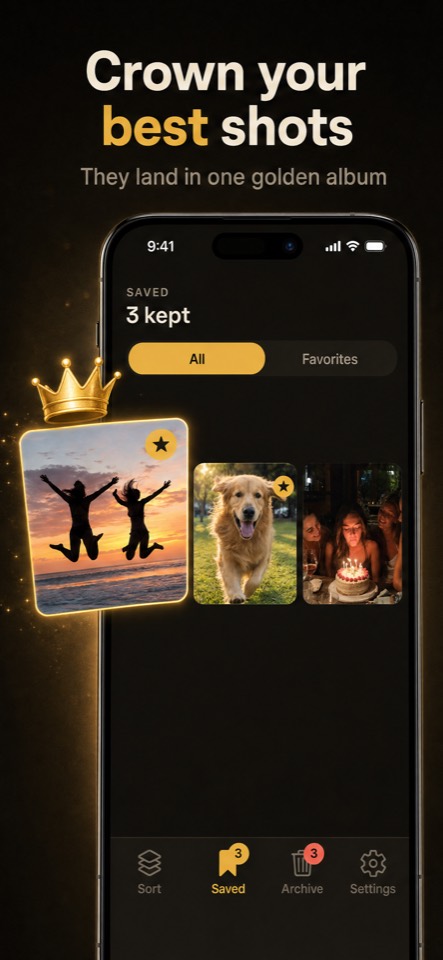
A camera-roll cleanup that actually feels good.
Most photo cleaners make deleting feel risky. KeepShot flips it: archiving is reversible, your favorites get promoted, and the only permanent step is one you confirm yourself. The result is a fast, satisfying sort instead of a chore you keep putting off.
KeepShot runs entirely on-device. There is no sign-up, no server, and no upload of your photos or your decisions.
A left swipe only stages a photo for deletion. It stays in your library until you review the archive and confirm.
KeepShot batch-deletes through Apple's own system confirmation. Nothing is ever removed silently behind your back.
Watch the gigabytes add up as you archive. The reclaimed-storage number is the reward, front and center.
Everything KeepShot helps you do
One focused workflow for cleaning up your camera roll: sort by swipe, stage for deletion, protect your best shots, and reclaim space — all without leaving the deck.
Swipe right to keep, left to archive, up to crown a Favorite. The whole screen reacts to your drag so each decision reads instantly by color.
Archived photos are staged for deletion, not gone. A running tally shows how much storage you will free once you confirm.
Crown a photo and KeepShot saves it to a dedicated Favorites album in your own Photos library, so the ones worth keeping are easy to find.
Changed your mind? Undo restores your last decision instantly. Sort fast and fearlessly — mistakes are one tap away from fixed.
Tackle your library in manageable chunks. Sort a single month, a specific album, or the whole roll — whatever keeps the finish line in sight.
When you are ready, review the archive and batch-delete through Apple's standard delete confirmation. The button states the exact count and gigabytes.
How KeepShot works
Three steps, no setup, no account. Point KeepShot at your library, sort with your thumb, and confirm the cleanup when you are ready.
1
Connect your photos, privately.
KeepShot reads your library on-device so it can show you each photo to sort. Nothing is uploaded and no account is created.
2
Swipe through the deck.
Right to keep, left to archive, up to crown a Favorite. Undo any decision, and watch the reclaimed-gigabytes counter climb.
3
Review and confirm the delete.
Open the archive, see the exact count and storage, and batch-delete through Apple's own confirmation. Permanent only when you say so.
Screenshots, duplicates, bursts, blurry shots, and old memes pile up for years. KeepShot gives you a fast, satisfying way to clear them out without scrolling endlessly through the Photos app.
Cleaning up should not mean burying your best photos. Crown them as Favorites and they land in their own album while everything else gets sorted around them.
Archiving is always reversible, and the final delete uses Apple's own system prompt. KeepShot is designed so you can sort quickly and still feel in complete control of your library.
Privacy is the whole point.
KeepShot is a private, on-device photo cleaner. Your photos and your sorting decisions never leave your iPhone. There is no KeepShot account, no cloud copy, and nothing is uploaded or scanned on a server.
Your sorting decisions live in local storage on your iPhone. KeepShot reads your Photos library only to display and sort it, and only writes to it when you save a Favorite or confirm a deletion.
No KeepShot account, no cloud backup of your library, no scanning your photos on a server, and no selling or sharing of your data. Your camera roll is yours alone.
Subscriptions are handled by RevenueCat, and KeepShot uses AppsFlyer for ad-install attribution with your consent. Read exactly what that means in the privacy policy.
Frequently asked questions
The details people want before trusting a photo cleaner with their camera roll.
Does KeepShot delete my photos automatically?
No. Swiping left only archives a photo — it is staged for deletion, never removed. Nothing is deleted until you open the archive review screen and confirm, and the final removal goes through Apple's own system delete confirmation. Until then every archived photo is still in your library and fully restorable.
Is anything uploaded to the cloud?
No. KeepShot works 100% on your device. There is no account to create, nothing is uploaded, and your photos are never sent to a server. KeepShot only reads your library to display and sort it, and only writes to your own Photos library when you save a Favorite or confirm a deletion.
What is a Favorite?
A Favorite is a photo you crown by swiping up. KeepShot saves it to a dedicated Favorites album in your own Photos library so your best shots are easy to find later. It is a regular album you fully control.
How much does KeepShot cost?
KeepShot is a paid subscription: $5.99 per week or $49.99 per year. There is no free trial. Subscriptions are billed through your Apple ID and renew automatically until you cancel in your App Store settings.
Can I undo a swipe?
Yes. Undo restores your last decision instantly — whether you kept, archived, or crowned a photo. Archiving is fully reversible right up until you confirm a batch deletion, so you can sort fast without worrying about mistakes.
What devices does KeepShot work on?
KeepShot is an iPhone app. It is designed for iPhone screens from the smaller SE size up to the largest Pro Max.